❌

Normal view

ENux 5.0

8 February 2026 at 11:07
ENux is a desktop Linux distribution based on Debian's "Stable" branch. It integrated Bedrock Linux, a project developing scripts that mix-and-match components from various Linux distributions and integrate them into one largely cohesive system. ENux's main claim to fame is support for a large range of popular package management tools that exist in the Linux ecosystem, including apk (Alpine Linux), dpkg/apt (Debian), emerge/portage (Gentoo), nix (NixOS), pacman (Arch Linux), rpm/dnf (Fedora), xbps (Void) and zypper (openSUSE) via the unified pmm tool (from Bedrock Linux). The distribution uses the Xfce desktop and substitutes Debian's long-term supported Linux kernel with a more up-to-date version.

ArchBANG 080226

8 February 2026 at 08:47
ArchBang Linux is a lightweight distribution based on Arch Linux. Using the labwc Wayland compositor, it is fast, up-to-date and suitable for both desktop and portable systems. Besides GreenBANG, the project also develops a distribution called SwayBang featuring the Sway Wayland compositor.

FluxLinux 1.5

8 February 2026 at 01:57
FluxLinux is a lightweight distribution based on Ubuntu's long-term support (LTS) branch and using the Xfce desktop. Some of its features include fast boot and snappy desktop interaction, curated defaults with sensible power-user options, modern package workflow, rollback-friendly upgrade, and privacy-respecting telemetry. With minimal resource overhead and efficient process management, FluxLinux is suitable for installation even on older and low-specification computers.

Talos 1.12.3

7 February 2026 at 22:14
Talos is a specialist Linux-based operating system for running Kubernetes, an open-source system for automating deployment, scaling and management of containerised applications. Minimal, immutable and hardened, it does not offer any shell or interactive console; instead, all system management is done via remote Application Programming Interface (API) calls, where messages sent from a client application are protected with mutual Transport Layer Security TLS (mTLS) authentication. Talos also delivers atomic updates, thus maintaining the Linux and Kubernetes versions up-to-date. Talos is developed in the USA by Sidero Labs, Inc.

FreeBSD 14.4-BETA1

7 February 2026 at 20:11
FreeBSD is a UNIX-like operating system for the i386, amd64, IA-64, arm, MIPS, powerpc, ppc64, PC-98 and UltraSPARC platforms based on U.C. Berkeley's "4.4BSD-Lite" release, with some "4.4BSD-Lite2" enhancements. It is also based indirectly on William Jolitz's port of U.C. Berkeley's "Net/2" to the i386, known as "386BSD", though very little of the 386BSD code remains. FreeBSD is used by companies, Internet Service Providers, researchers, computer professionals, students and home users all over the world in their work, education and recreation. FreeBSD comes with over 20,000 packages (pre-compiled software that is bundled for easy installation), covering a wide range of areas: from server software, databases and web servers, to desktop software, games, web browsers and business software - all free and easy to install.

ChromeOS 16503.60.0

7 February 2026 at 19:13
ChromeOS Flex, developed by Google, is a free and lightweight Linux distribution based on Gentoo-derived ChromeOS. Unlike ChromeOS which is designed specifically for Chromebook computers, ChromeOS Flex can be installed on most x86_64 devices with a AMD or Intel processors, offering a Chromebook-like experience. The product's functionality can be further extended by installing a Debian-based Linux subsystem with a complete Linux development environment. ChromeOS Flex is available as a BIN image that can be transferred to a bootable USB Flash drive; it can be used in a "live" mode or it can be permanently installed to a computer's hard disk.

GCompris 26.0 Released with 2 New Activities & Teachers Tool

By: Ji m
7 February 2026 at 15:02

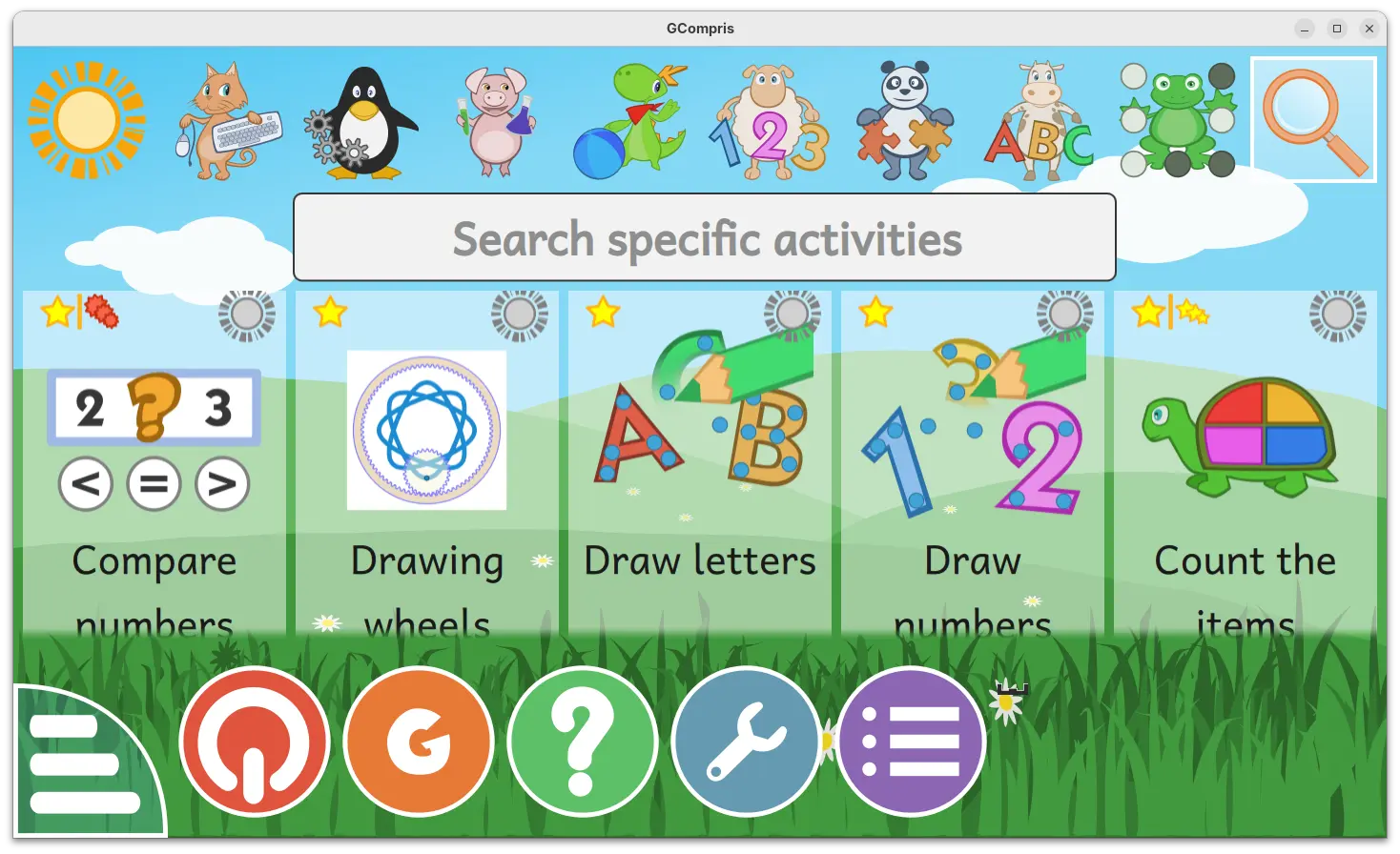
GCompris, KDE’s educational software suite, released new 26.0 version few days ago.

The new version introduced official companion tool for teachers, added two new activities, and fixed various bugs.

For those who don’t know about the software, it’s a free open-source educational software for children aged 2 to 10, which works on Linux, Windows, BSD, macOS, and Android.

It includes 190+ activities, some of them are game orientated but nonetheless still educational, providing training exercises within and outside the classroom.

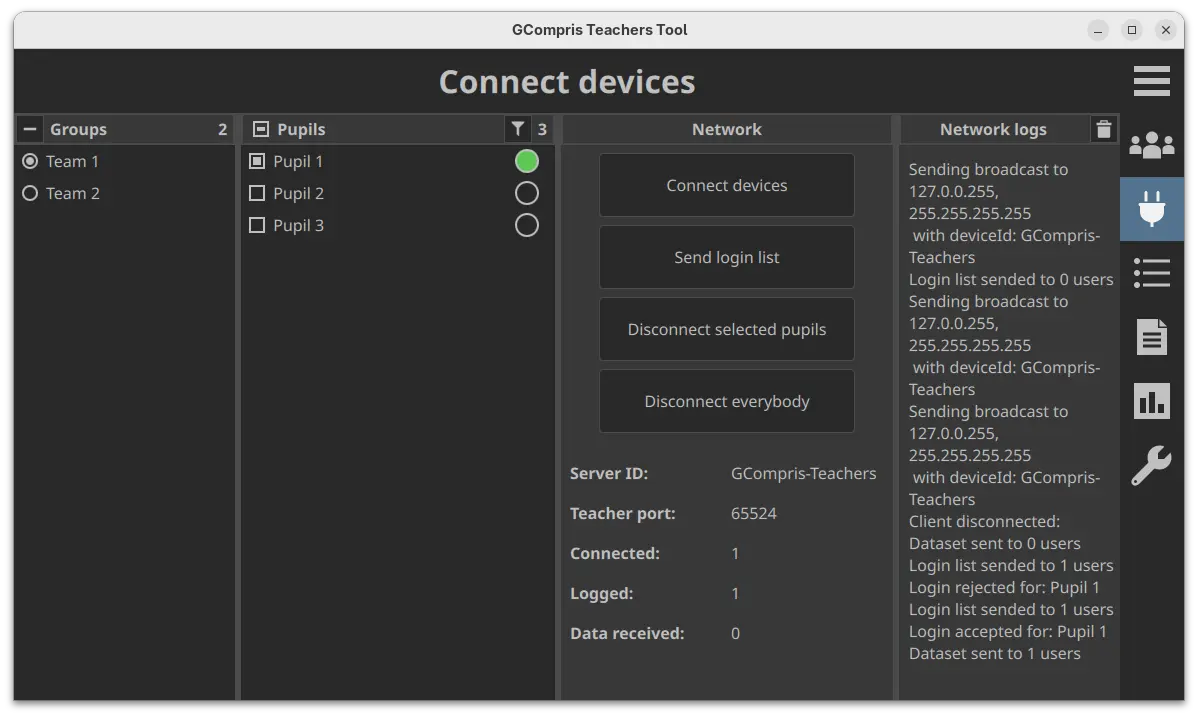
With the new 26.0 version, the official teachers tool is introduced. It allows teachers to create and manage pupils groups, create specific work plans, connect and send a work plan to pupils, visualize the work results per group and pupil, and analyse pupils answers.

The GCompris-teachers app is so far only available for Linux and Windows, and teachers should use the same version of the main GCompris application.

Gcompris teachers app

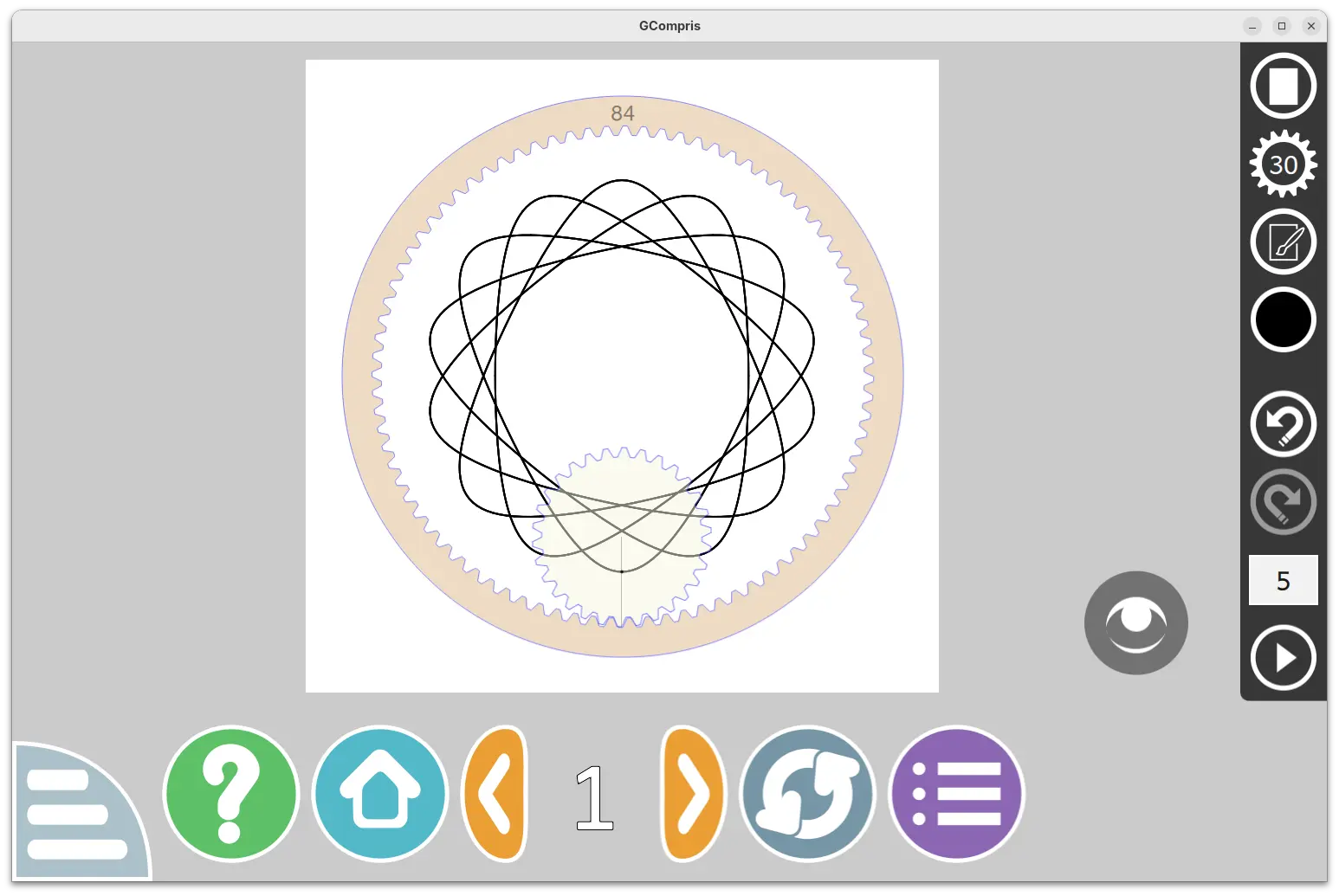
The new version also introduced two new activities. They include β€œDrawing wheels”, an activity to make beautiful drawings by rolling the gear in the cogwheel.

Pupils can choose wheel size, gear size, pen settings and color, and finally click play to roll the gear to start drawing. An eye icon is available to hide the gear and the cogwheel to view the final drawing. And, it supports saving image as SVG along with PNG, and load again (SVG only) from the activity.

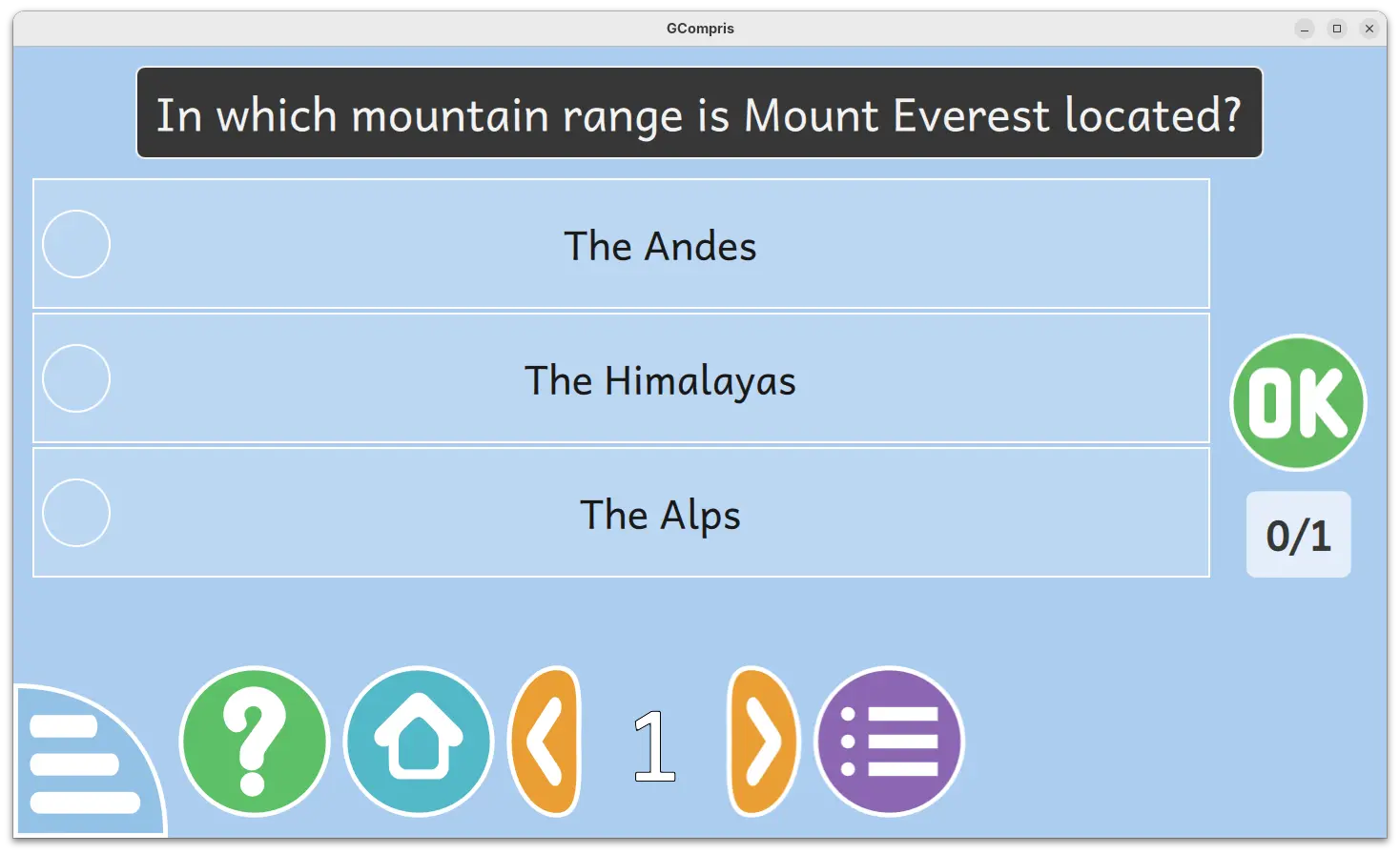
Another one is β€œMultiple choice questionsβ€œ, a MCQ activity that’s hidden by default. It’s only visible after teacher created the questions and sent to clients. Pupils need to click an answer to select then press OK to answer the questions sent by teacher. After validating, a feedback text (if set by teacher) panel will be displayed, and click anywhere will close it.

Other changes include two new Kannada and Tamil languages support, as well as bug-fixes and improvements. See the NEWs page for details.

How to Get GCompris 26.0

The software provides official installer packages for Linux, Windows, macOS, Android, and Raspberry Pi, which are available to download in its website:

For Linux, either download the .sh installer and follow the guide in the link above, or select install the Flatpak package or Snap package (from App Center).

PeaZip 10.9 Open-Source Archive Manager Released with Improved User Experience

7 February 2026 at 11:36

PeaZip 10.9

PeaZip 10.9 open-source archive manager is now available for download with an improved user experience and other enhancements. Here's what's new!

The post PeaZip 10.9 Open-Source Archive Manager Released with Improved User Experience appeared first on 9to5Linux - do not reproduce this article without permission. This RSS feed is intended for readers, not scrapers.

Netbsd 11.0_RC1

7 February 2026 at 11:05
NetBSD is a free, secure, and highly portable UNIX-like Open Source operating system available for many platforms, from 64-bit AlphaServers and desktop systems to handheld and embedded devices. Its clean design and advanced features make it excellent in both production and research environments, and it is user-supported with complete source. Many applications are easily available through The NetBSD Packages Collection.

KDE Linux Gears Up for Beta Release with Plasma Login Manager, KDE Initial Setup

7 February 2026 at 10:52

KDE Linux

KDE Linux distribution is gearing up for a beta release with Plasma login manager, KDE initial setup, and better hardware support. Here's what to expect!

The post KDE Linux Gears Up for Beta Release with Plasma Login Manager, KDE Initial Setup appeared first on 9to5Linux - do not reproduce this article without permission. This RSS feed is intended for readers, not scrapers.

BigLinux 2026-02-07

7 February 2026 at 10:40
BigLinux is a Brazilian Linux distribution localised into Brazilian Portuguese (with support for English). It is was originally based on Kubuntu, but starting from 2017 the distribution was re-born based on deepin. It then offered two desktop environments - Cinnamon and Deepin. In 2021 the distribution switched bases and desktop environments again, migrating to Manjaro Linux and using the KDE Plasma desktop.

LainOS 2026.02.06

7 February 2026 at 08:56
LainOS is a lightweight, Arch Linux-based desktop distribution aimed at developers, tinkerers and hackers. As a choice of graphical environments, it offers the Hyprland Wayland compositor and the Openbox window manager. The distribution also features the Calamares system installer, personalised yet functional visual aesthetics, and a selection of useful software. LainOS is intended for users who share the admiration of Serial Experiments Lain, a Japanese anime television series.

Darktable 5.4.1 Released with Few Dozen Fixes [Ubuntu PPA Updated]

By: Ji m
7 February 2026 at 06:48

Darktable, the free open-source photography app and raw developer, released new 5.4.1 version one day ago.

This is a minor release that focuses on bug-fixes, stability improvements, as well as camera support changes and translation updates, but no new features.

First, the new version fixed possible crashes in the situations, when mounting a camera from Darktable due to the current locale, when using workspace due to the non deterministic ordering of the list of workspace read on disk, and when parsing highlight-preservation Exif tag while loading some Olympus ORF files.

It also fixed wrong handling of scaling factor during multi-preset export, wrong handling of overwrite if changed in export, and wrong RAW specific auto-applied preset being applied to non RAW images.

There are as well fixes for subtle color casts in bayer dual demosaicers, mask support in scale pixels module, and possibly outdated metadata when returning from darkroom.

Besides bug-fixes, the new version also updated Lua API to v9.6.0, added noise profiles for Canon EOS 10D and Sony ILCE-7CR.

Image by Chanzj from Pixabay

It however suspended support for Creo/Leaf Aptus 22(LF3779)/Hasselblad H1, Fujifilm IS-1, Kodak EasyShare Z980, Leaf Aptus-II 5(LI300059)/Mamiya 645 AFD, Leaf Credo 60/80, Olympus SP320, Phase One IQ250, and ST Micro STV680.

And, it misses compression mode support for Apple ProRAW DNGs, CinemaDNG lossless (Blackmagic, some DJI, etc.) and lossy (Blackmagic), DNG 1.7 using JPEG XL (Adobe enhanced, Samsung Expert RAW), Fujifilm lossy RAFs, Nikon high efficiency NEFs, Phase One other than IIQ L, and Sony ARW 4.0/5.0 downsized lossless and ARW 6.0 lossy.

How to Install Darktable 5.4.1

The official release note as well as the installers for Linux, Windows, macOS, and source tarball are available in Github via the link below:

Linux user may select download the AppImage, then add executable permission and run to launch the software.

There are as well Snap package available in Ubuntu Software (or App Center), and Flatpak package that works in most Linux. Though both of them are not updated at the moment of writing.

For those who prefer the native package formats, the official .deb/.rpm packages for Debian, Ubuntu, Fedora, and openSUSE are available to download at this page.

And, for Ubuntu users who prefer Ubuntu PPA, I’ve built the 5.4.1 version into this unofficial PPA for Ubuntu 22.04, Ubuntu 24.04, and Ubuntu 25.10.

Simply open terminal (Ctrl+Alt+T) and run the 3 commands below one by one to add PPA, refresh cache and install the deb package:

sudo add-apt-repository ppa:ubuntuhandbook1/darktable
sudo apt update
sudo apt install darktable

Berserk Arch 2026.02.06

6 February 2026 at 22:17
Berserk Arch is an Arch Linux-based, rolling-release distribution designed primarily for power users, security researchers and developers. It uses a customised Openbox window manager. The distribution offers a modular environment with pre-configured desktop profiles, secure package infrastructure and curated toolsets.

Lilidog 26.02.06

6 February 2026 at 15:29
Lilidog is a lightweight desktop Linux distribution based on Debian "Stable" and featuring a customised Openbox window manager. It incorporates the tint2 desktop panel, the Thunar file manager and the xfce4-terminal terminal emulator. Other window managers, including Awesome, dwm, i3, JWM and sowm, are also available for installation. Besides the standard Lilidog, the project provides two other editions of the distribution - the "Beardog" variant which starts without a display manager on login, and the "Waydog" flavour which uses the Wayland display server and offers a choice between the labwc and Sway Wayland compositors.

Manjaro 26.0.2

6 February 2026 at 14:06
Manjaro Linux is a fast, user-friendly, desktop-oriented operating system based on Arch Linux. Key features include intuitive installation process, automatic hardware detection, stable rolling-release model, ability to install multiple kernels, special Bash scripts for managing graphics drivers and extensive desktop configurability. Manjaro Linux offers Xfce as the core desktop options, as well as KDE, GNOME and a minimalist Net edition for more advanced users. Community-supported desktop flavours are also available.

openmamba 20260206

6 February 2026 at 13:34
openmamba GNU/Linux is a distribution for personal computers that can be used on notebooks, desktops, servers and Raspberry Pi computers. It works as an installable live DVD/USB images, offering one of two desktop environments: KDE Plasma or LXQt. The distribution uses RPM packages managed through the DNF package manager. Software can also be fetched and installed from Flatpak repositories.

Krita Released 6.0 Beta with Qt6 Port & Native Wayland Support

By: Ji m
6 February 2026 at 11:34

Krita, KDE’s digital painting software, released the first Beta of the next major 6.0 and 5.3 versions yesterday.

The 2 versions were released in parallel. Krita 6 and 5.3 share all the same features, except, that 5.3 is built on top of Qt5, while 6.0 features Qt6 port and native Linux Wayland support.

Thanks to Wayland support, in particular Wayland Color Management protocol, the 6.0 Beta brings HDR support for Linux as well as fractional scaling and 10 bit display support.

Besides the Qt framework change and Wayland support, the new version also completely overhauled the Text tool. Instead of opening the edit text dialog, it finally supports on-canvas edit just like other image editors do.

It as well supports wrapped text, text in shape, text on path, and text Properties docker, allowing to configure text font family, style, font size, align, as well as few dozens other properties.

In addition to Text Properties docker, the Text tool also features glyph palette to select alternate glyphs that may be present in the currently used font, and new Type Setting Mode that provides controls to edit Font Size, Baseline Shift, Line Height and Dominant Baseline directly on canvas.

The new version as well introduced a new knife tool (Comic Panel Editing tool) for vector objects, allowing to cut through a shape with a gap width.

So far there are 3 gap widths to choose from, and it supports removing a gap (merge shapes). And, it will probably support custom gap width, snap, move the gutter etc functionalities in future releases.

Knife Tool

The Beta of Krita 5.3 and 6.0 added loading and saving support for Radiance RGB, the old but fairly widely used HDR image format.

It also added support multi-layered and multi-pages and animated JXL files, new Bundle Creator, as well as loading and saving shapes, vector masks and guides fro PSD.

Other changes include:

  • Add Fast Color Overlay filter.
  • Add Propagate Colors filter.
  • CSS palette support.
  • Multibrush β€˜Copy Translate at Intervals’ mode.
  • Add Python Painting API.
  • Ability to add dockers to the pop-up palette.
  • Real-time capturing support for the recording docker plugin.
  • Refactor blendmodes to properly support HDR modes.
  • Transform shortcuts support for multi-selected layers.
  • Rotate the transform bounding box with ctrl+alt.

For more about the new versions, see the official release note.

Get Krita 5.3/6.0 Beta

The source tarballs, as well as the official packages for Linux, Windows, macOS, and Android are available to download in KDE website via the link below:

For Linux on Intel/AMD platform, select download the .AppImage, then add executable permission and run the launch the image editor.

Tips: Ubuntu since 22.04 needs to install libfuse2 for AppImage support by running the command below in terminal (Ctrl+Alt+T):

sudo apt install libfuse2

❌