❌

Normal view

PikaOS 26.02.03

3 February 2026 at 22:35
PikaOS Linux is a Linux distribution based on Debian's cutting-edge "Unstable" branch, optimised for gaming. It is designed to provide out-of-the-box gaming experience, excellent performance with up-to-date drivers and custom-tweaked Linux kernel, and a choice of GNOME or KDE Plasma desktops, with separate editions that use the Hyprland Wayland compositor.

Vendefoul 20260203

3 February 2026 at 17:10
Vendefoul Wolf is a set of lightweight, Devuan-based Linux distributions featuring various popular desktop environments, including Budgie, Cinnamon, KDE Plasma, LXQt, Trinity and Xfce. As the init software, it offers a choice between SysV and runit. Some of the distribution's other main features include the LibreWolf web browser, the Calamares system installer, an application store, and its own repository of software packages. Besides the main edition, Vendefoul Wolf also produces various community spins with alternative desktops and window managers.

System76 Releases COSMIC 1.0.5 with New Option to Show Battery Percentage

3 February 2026 at 16:58

Pop!_OS 24.04 COSMIC

COSMIC 1.0.5 desktop environment is now available with a new option to show battery percentage in the system tray applet and other changes. Here's what's new!

The post System76 Releases COSMIC 1.0.5 with New Option to Show Battery Percentage appeared first on 9to5Linux - do not reproduce this article without permission. This RSS feed is intended for readers, not scrapers.

β€œFix” Giant Cursor Issue for Flatpak Apps in Ubuntu 24.04 | 22.04

By: Ji m
3 February 2026 at 13:36

For Ubuntu 24.04 and Ubuntu 22.04 LTS with default GNOME desktop, here’s a quick fix for unusual cursor issue in some Flatpak app windows.

This is Gnome upstream bug which has been fixed, but not backported for current Ubuntu LTS releases with old Gnome desktop environments.

Why the issue?

The giant mouse cursor issue for Flatpak apps using GNOME runtime was reported 7 months ago, which has been fixed in GNOME 48 by implemented wp_viewport support for cursor surfaces.

The fix has also been backported for GNOME 47.4, but NOT for GNOME 46 and earlier as they reached end of life. GNOME developer explained:

To clarify. This has been fixed in GNOME 47.4 and newer. Specifically its this Mutter Merge Request mutter!3859 (merged) and couple GTK fixes which you will be getting from the Flatpak runtime anyway.

There is nothing that we can do about it if a distribution chooses to ship an outdated version of GNOME. I would suggest you open issues against your distribution to fix/backport this on their end…

The Ubuntu side however cannot backport the wp_viewporter fixes for 24.04 (with Gnome/Muter 46), because it’s too large and has the potential to regress the LTS. The Ubuntu developer said:

I don’t think we can backport the wp_viewporter fixes to mutter 46, it’s too large: it took many iterations during the GNOME 48 cycle upstream to get it working correctly, and we’d risk regressing noble.

How to β€œFix” (Workaround) the Flatpak cursor issue

The issue so far happens only on Ubuntu 24.04 and Ubuntu 22.04 with default GNOME when running Flatpak apps that use GNOME 49 run-time in sandbox.

Add icon theme permission access (~/.icons and /usr/share/icons) does not work in my case, while only disable Wayland windowing system (for Flatpak apps only) works.

NOTE: switch off Wayland might cause few performance loss and security issues.

1. To do so, first open terminal (Ctrl+Alt+T) and run command to install Flatseal app, the graphical tool to manage Flatpak permissions.

flatpak install https://dl.flathub.org/repo/appstream/com.github.tchx84.Flatseal.flatpakref

2.Then, launch Flatseal. Choose the Flatpak apps that have unusual cursor issue, and then turn off β€œWayland windowing system” option under Socket session.

Finally, re-launch the Flatpak apps to apply changes.

For those who don’t want to install one more app for the job, run the commands below instead one by one:

  • First, run command to list Flatpak apps, and copy the target App ID:
    flatpak list --app
  • Then, run the command below (replace app.devsuite.Ptyxis with yours App ID) to disable Wayland:
    sudo flatpak override --nosocket=wayland --socket=x11 app.devsuite.Ptyxis

ZimaOS 1.5.4

3 February 2026 at 11:38
ZimaOS is an independently-developed, Linux-based operating system for personal servers and network-attached storage (NAS) devices. It features system-level support for remote access, RAID configuration, over-the-air (OTA) updates, and a browser-based user interface for managing the server. It is developed in China by IceWhale Technology Limited, which also produces and sells specialist storage hardware devices called "ZimaCube". Besides ZimaOS which is a complete, standalone operating system, the company also produces CasaOS, a lightweight software layer that can be installed on top of an existing Linux installation in order to turn it into a personal server or a NAS.

Helwan 3.0

3 February 2026 at 09:34
Helwan Linux is an Arch-based Linux distribution designed for home, education and development use. Its "Home" flavour comes with the GNOME desktop, the "Edu" variant ships with Xfce and the "Dev" edition features the Cinnamon desktop together with a range of compilers and interpreters, including PHP and Rust. The project also produces a comprehensive "Distro Building" manual with a guide to the Archiso tool (for building custom Arch-based ISO images) and the Calamares system installer.

SuperTux 0.7.0 Beta 2 Released with Editor & Gaming Improvements

By: Ji m
3 February 2026 at 09:26

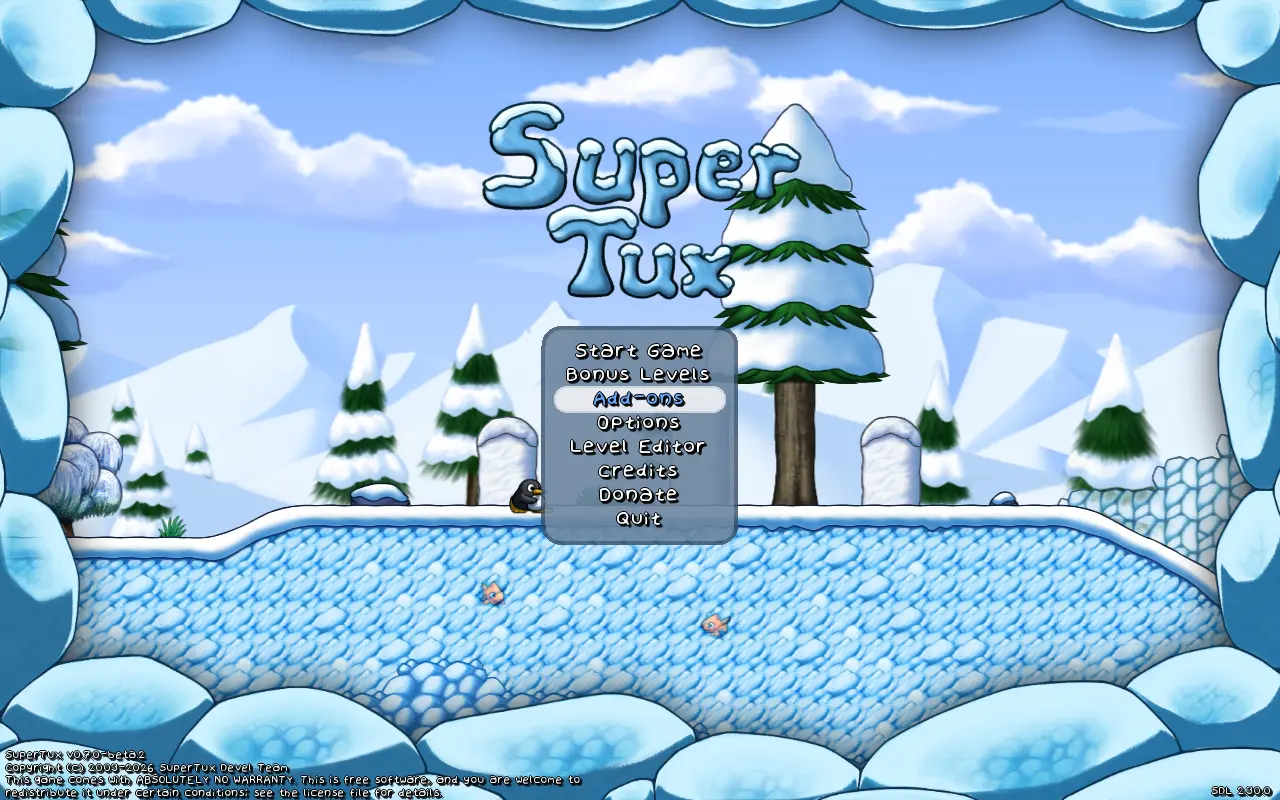
SuperTux, the classic 2D jump and run game, released the second Beta of version 0.7.0 yesterday.

SuperTux 0.7.0 is the next major release of this free open-source Super Mario inspired game. The Beta 1 was released a month ago as the first development version for testing.

It introduced many exciting new features, include completely overhauled world map, redesigned character Tux, multiple player mode, new creep forward, new enemies and NPCs, Linux Flatpak package, revived Android support, and many other changes.

The second Beta does not include so much exciting new features, but focuses on bug-fixes, editor improvements, and other minor new features.

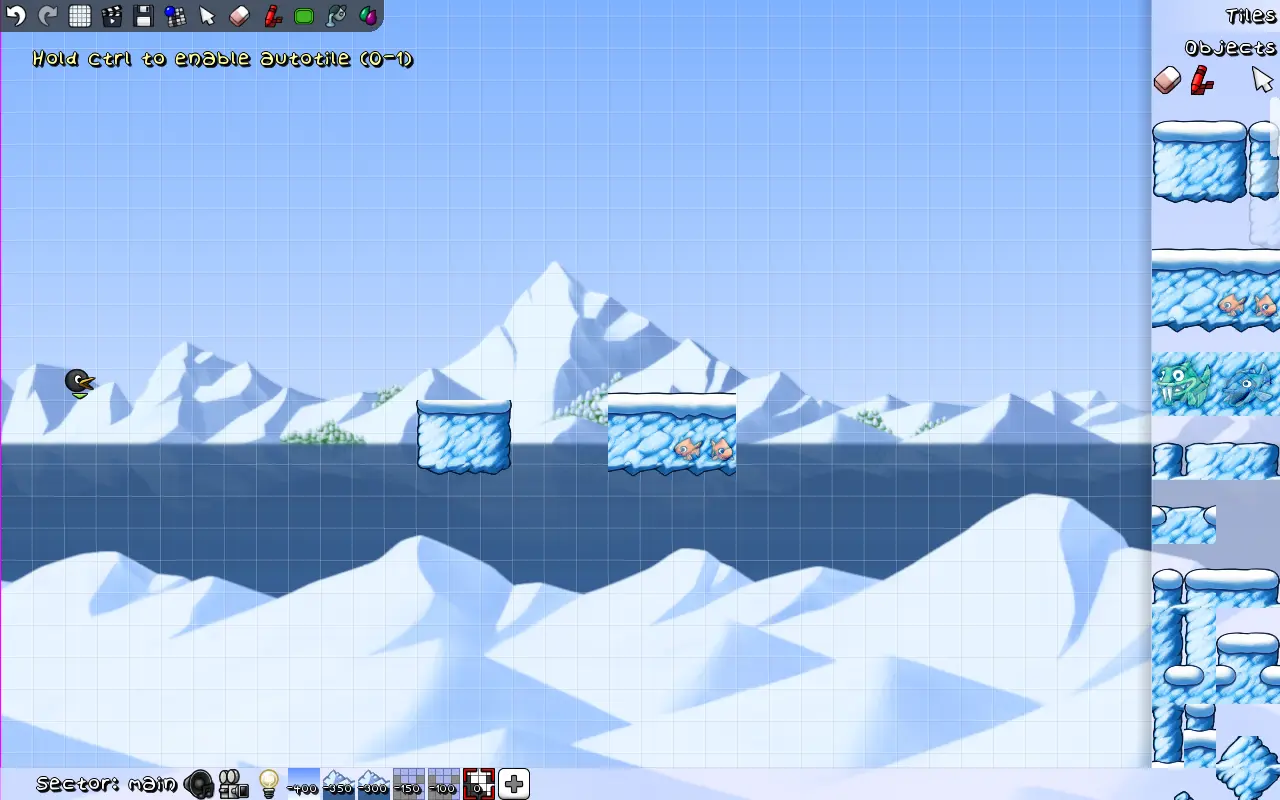
The Level Editor now always start in tile mode. Additional to arrow keys, it now supports using WASD keyboard keys to scrolling, and Ctrl+H to show or hide triggers.

The editor now highlights the current tool in toolbox, updates toolbar when switching to tile/object from menu, and does no longer refresh layers after any change.

It also implemented new node circle graphics, made EditorComment a draggable, added open editor workaround for macOS, and fixed various bugs.

Besides improvements to the level editor, the new Beta improved multiplayer option by replacing β€œAdd player” option with β€œAdd player (keyboard)” and β€œAdd player (controller)”.

It as well added floating Tux Dolls, deeply rooted song from Servalot, and re-added world select backgrounds in worldmaps..

The oldbomb fuse time changed from 5s to 2s. Goldbomb does no longer drop coins when not glinted. And, Bullets can now bounce on slopes, and moves faster than Tux in water.

Other changes include:

  • Option to allow ignoring the hardcoded player limit.
  • Ctrl+Alt+g to toggle ghost mode.
  • Allow building without networking support.
  • Enable OpenGL support for Flatpak package.
  • And many bug-fixes and other changes.

How to Get SuperTux 0.7.0 Beta 2

For more about the new Beta, as well as the official installers (under Assets section), go to the Github release page via the link below:

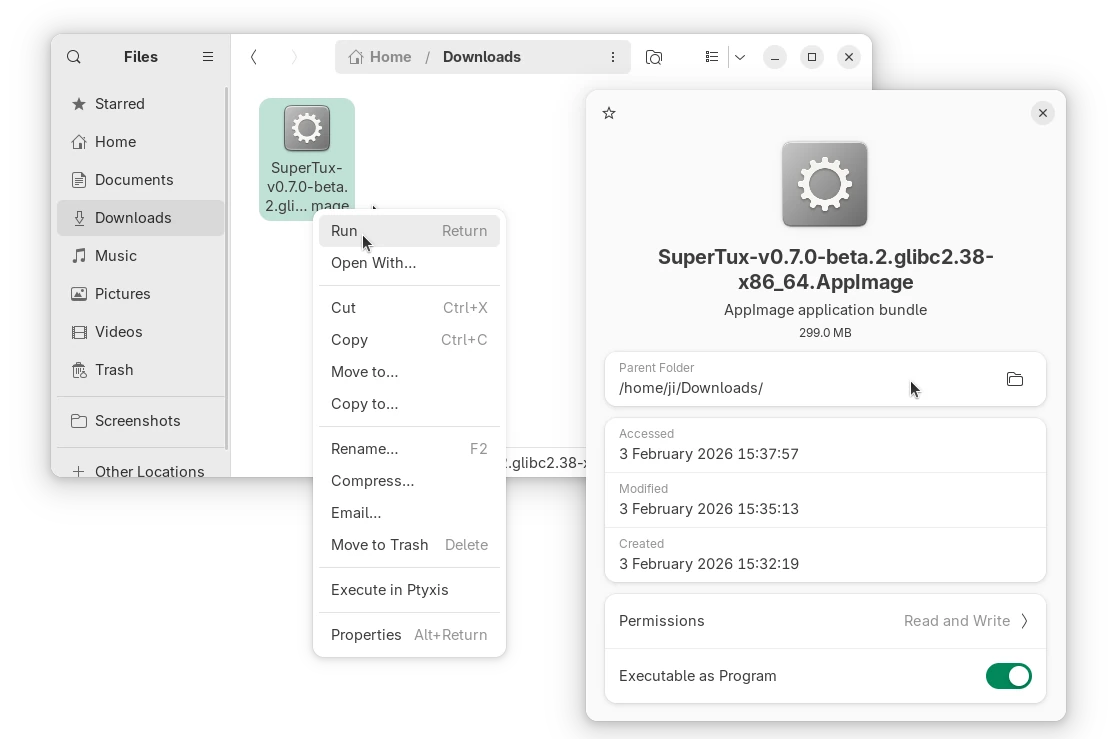
Linux user on AMD/Intel platform may select download the AppImage package, add executable permission, and run to launch the game.

As the package name says, it requires glibc >= 2.38. For Ubuntu, it means you need 24.04 LTS and higher, and make sure the libfuse2 library is installed via the command below in terminal (Ctrl+Alt+T):

sudo apt install libfuse2

For choice, select download the Flatpak package, then run command below in terminal (Ctrl+Alt+T) to install:

flatpak install drag-and-drop-flatpak-package-into-terminal


Tips: run sudo apt install flatpak to install the daemon if your don’t have Flatpak support in Ubuntu.

If the app icon is not visible, either log out and back in to apply path environment change, or run the command below instead to start it from terminal:

flatpak run org.supertux.SuperTuxNightly

(Optionally) To uninstall the package, use command:

flatpak uninstall --delete-data org.supertux.SuperTuxNightly

Archcraft 2026.02.02

3 February 2026 at 08:29
Archcraft is a minimal Linux distribution based on Arch Linux. The project provides a graphical user interface using minimal window managers rather than full featured desktop environments. Archcraft is installed using the Calamares system installer and includes the yay package manager to facilitate fetching software from the Arch User Repository.

BunsenLabs Carbon-rc3

3 February 2026 at 06:41
BunsenLabs Linux is a distribution offering a light-weight and easily customizable Openbox desktop. The BunsenLabs distribution is based on Debian's Stable branch and is a community continuation of the CrunchBang Linux distribution.
❌