Normal view

Resources 1.10.0 Released with Monitoring Support for AMD NPU

By: Ji m
2 February 2026 at 12:40

Resources, the system resources and processes monitor that’s default in Ubuntu 26.04, released new 1.10.0 version yesterday.

The new version of this free open-source Rust written application added support for monitoring AMD NPU, the neural processing unit for accelerate AI and machine learning tasks, that found in Ryzen AI 300 / 400 series, Ryzen 7 8700G, Ryzen 5 8600G, and Ryzen 7040/8040 series processors.
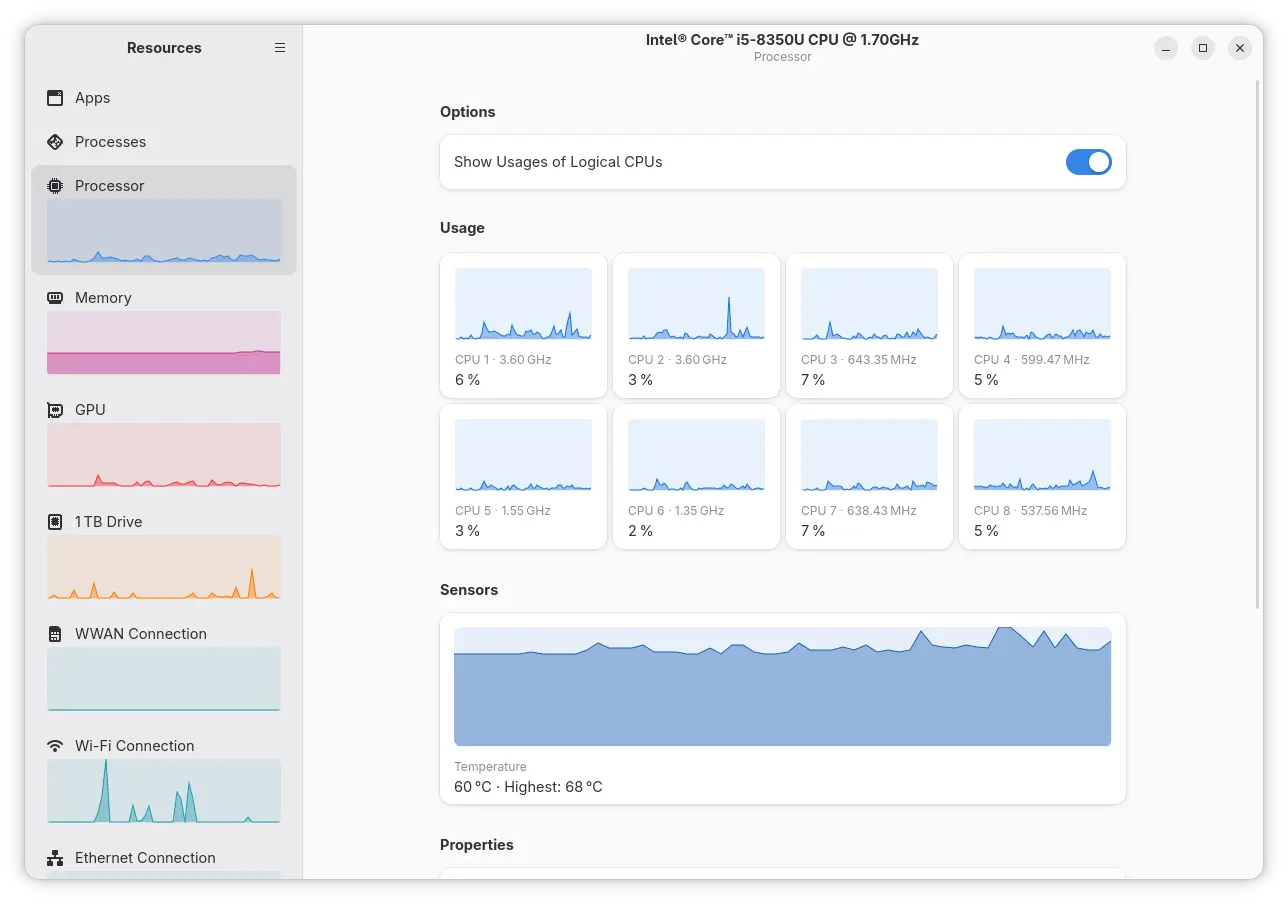
Resources has initial NPU support since version 1.7.0 which was for Intel processors only. With the new release, AMD NPU is also supported through the amdxdna driver. Meaning user needs Linux Kernel 6.14 (default in Ubuntu 24.04 with HWE Kernel) or higher for the out-of-the-box support for Ryzen AI NPUs.

You may try modinfo amdxdna command to see if the driver is present in your kernel, and use lsmod | grep amdxdna to see if it’s loaded.

And, load the kernel module either by running sudo modprobe amdxdna command that works until reboot, or by adding to a config file under /etc/modules-load.d/ that works on startup.

Beside AMD NPU, the new version also added support for searching multiple process names using “|” operator. Which is useful when you need to apply operations on multiple processes that are associated.

It also added support for detecting AppImage apps managed by appimaged, which has been deprecated in favor of Go AppImage, as well as detecting apps managed by Portable sandbox and LXC bridge network interfaces for containers.

The new version also changed the way it reads per-process memory usage. Previously, it subtracts shared memory from the memory usage of a process. Now, it reads VmRSS value reported in /proc/<pid>status represents the total amount of physical memory, including the shared memory. So, the app now reports higher per-process memory usage compare to Gnome System Monitor.

Other changes include:

  • Significantly reduce the CPU usage of Resources’ companion process.
  • Improve keyboard navigation for Apps view and Processes view.
  • Fix that column names were not announced to screen readers.
  • And some other fixes and changes.

How to Install Resources

Ubuntu 26.04 (dev release so far) ships with Resources 1.91.0 by default, though not sure if it will upgrade to the new 1.10.0 version in the final release.

For most Linux distributions, the app provides official Flatpak package that runs in sandbox for both modern Intel/AMD and ARM64 (e.g., RasPi and Snapdragon X) processors.

Linux Mint and Fedora (with 3rd party repository enabled) can simply search & install the package from either Software Manager or GNOME Software.

While Debian, Ubuntu, and other Linux may do the steps below one by one to install the package:

  • First, open terminal (Ctrl+Alt+T) and run command to install the Flatpak daemon package:
    sudo apt install flatpak

    For other Linux, follow the official setup guide to enable Flatpak support.

  • Then, run the command below to install the system monitor and task manager app:
    flatpak install https://dl.flathub.org/repo/appstream/net.nokyan.Resources.flatpakref

  • To update the app package, use command:
    flatpak update net.nokyan.Resources

Tips: if the app icon is not visible, try log out and back in, or run last command but replace update with run to start it from terminal.

Uninstall:

To uninstall the Flatpak package, run the command below in terminal:

flatpak uninstall --delete-data net.nokyan.Resources

Also run flatpak uninstall --unused to remove useless runtimes.
Linux Lite 7.8 Released as New Lightweight & Ubuntu 24.04 Based Distro

By: Ji m
1 February 2026 at 09:25

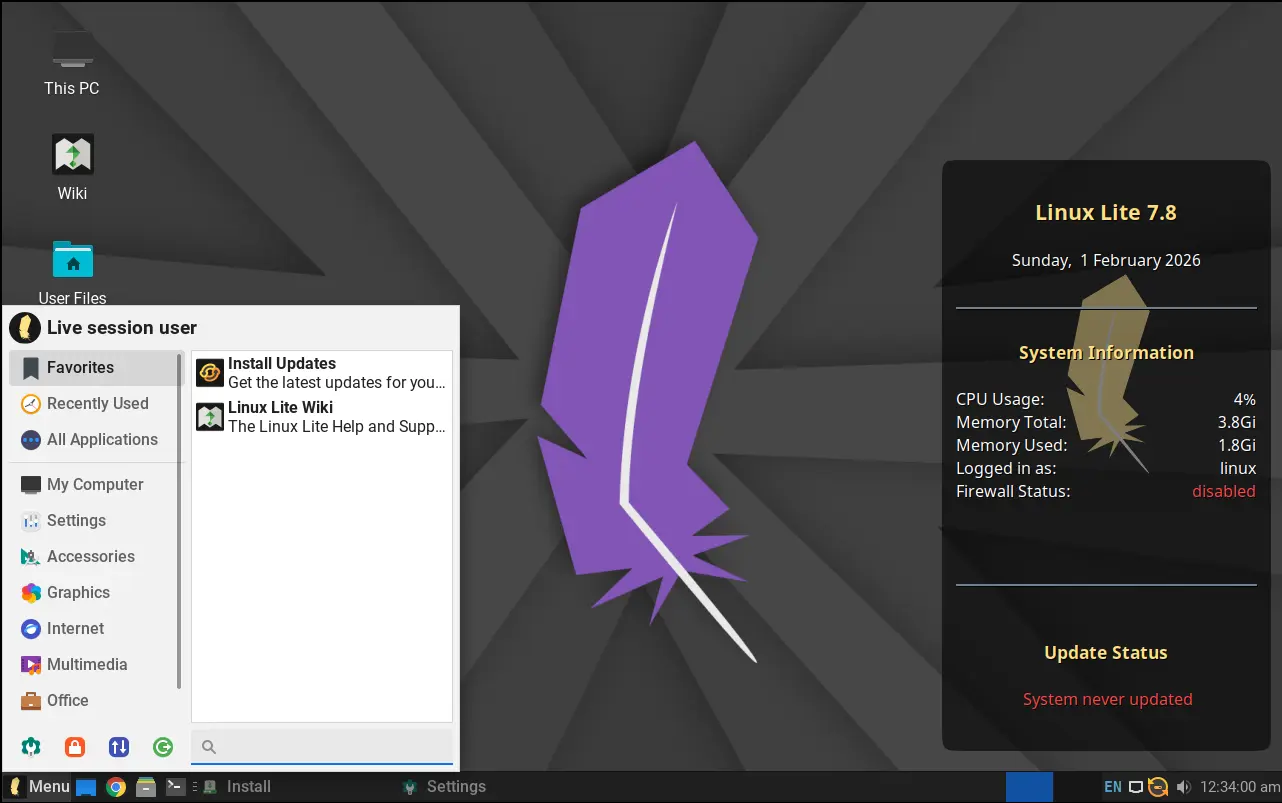
Linux Lite, the lightweight and beginner friendly Linux distribution, released new 7.8 version yesterday.

The new Linux Lite 7.8 is still powered by Kernel 6.8.0 and Ubuntu 24.04 package base, and features XFCE 4.18 desktop with customized layout and themes for better look and feel while keeping lightweight.

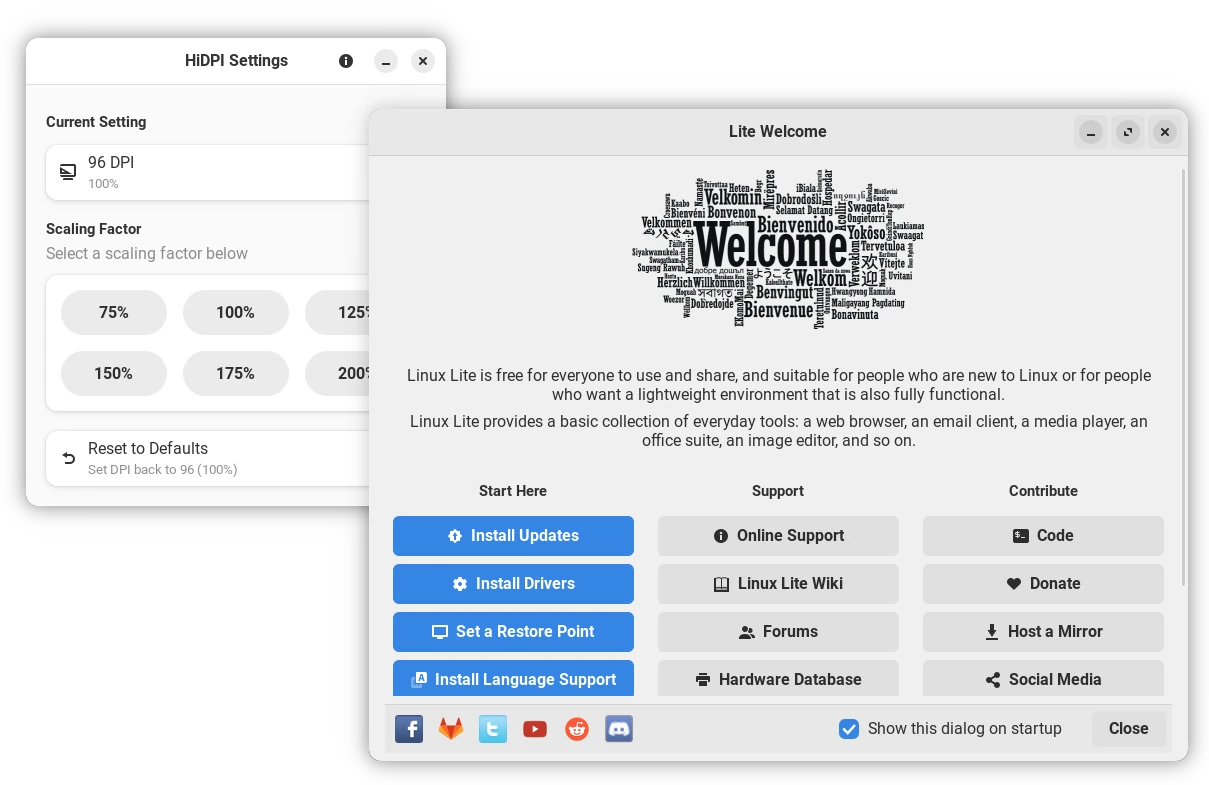
The release completely re-wrote its core applications, porting to Python and GTK4. They include:

  • Lite Auto Login
  • Lite Desktop
  • Lite DPI
  • Lite Firewall
  • Lite Network Shares
  • Lite Software
  • Lite Sounds
  • Lite Sources
  • Lite System Report
  • Lite Theme Manager
  • Lite Updates
  • Lite User Manager
  • Lite Welcome

Lite Software has been updated with 20 more popular applications support. They include BleachBit, Darktable, KDE Connect, Kdenlive, Stacer, and more. While, advanced users may use apt command to install more other apps.

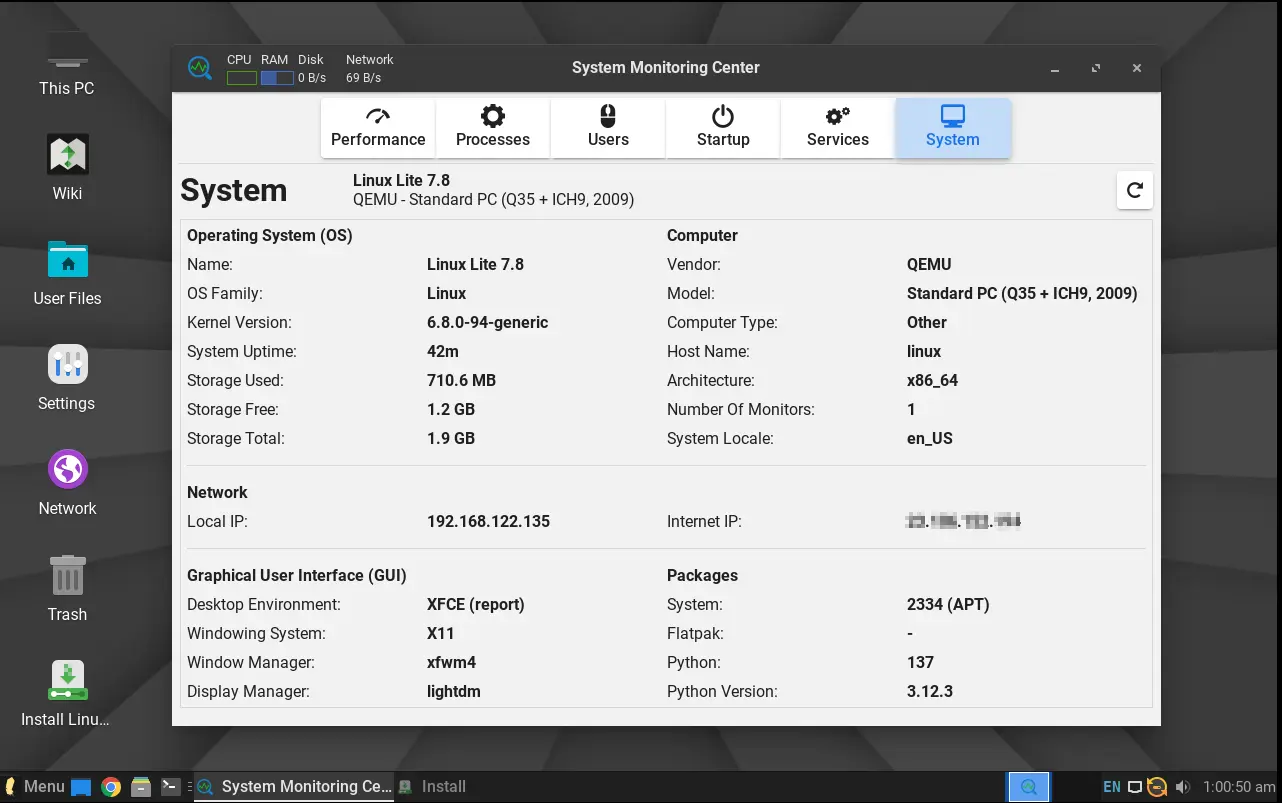
It also updated the System tab of System Monitoring Center to display more information about the system. It now shows the OS name version, Kernel version, system uptime, basic computer specs, local and internet IP, and some about the desktop and packages.

For daily computing needs, there are as well Google Chrome 144.0, Thunderbird email client 140.7, LibreOffice 25.8.4, VLC media player 3.0.20, and GIMP image editor 2.10.36. And, for computers that’re not well supported with default Kernel 6.8.0, custom kernels from version 3.13 – 6.18 are available in the system repositories.

For more about Linux Lite 7.8, see the release note from its website.

Get Linux Lite 7.8:

Linux Lite only supports computers and laptops with modern 64-bit Intel/AMD CPU processors.

The computer specs requirement include 1.5GHz dual-core processor, 4GB RAM, 40GB disk space, and 1366×768 resolution.

It as well needs DVD drive or USB port for booting the ISO image, and Secure Boot needs to be disabled for installing the distro, though it can be enabled afterward. And, in my case, it plays very smooth in virtual machine with i5-8350U (3 cores) and 2GB RAM.

To download Lite Lite .iso image, go to link below:

Shotcut 26.1 Released with Hardware Decoder for Export & Preview

By: Ji m
1 February 2026 at 07:51

After few weeks of Beta testing, Shotcut video editor announced version 26.1 today.

The new version of this free open-source Qt and MLT based video editor finally introduced hardware decoding support for more workflows.

Preview Scaling, the feature that lowers the resolution of video shown in the preview monitor, now has hardware decoding support.

The feature is enabled by default, except for Linux users with NVIDIA graphics card. It uses VA-API on Linux, Media Foundation on Windows, and Video Toolbox on macOS to offload CPU tasks to GPU, which can improve battery life and keep your computer cooler.

However, it does not have a significant speed boost according to the release note (unless using Linear 10-bit CPU processing mode). And, it does not seem to help much with seeking and scrubbing as proxies are still the key for that.

Besides preview scaling, the export process has also features hardware decoding support.

Export video is often known as the process of rendering or encoding. But video editor usually needs to decode the original video clips and changes you made (filters and cuts) before re-encoding.

By enabling hardware decoder for export, it also reduces CPU usage but it can sometimes increase the export time (according to release note but don’t know why), so the feature is disabled by default.

Other features in the release include Blend Mode, a filter that can override the way a clip blends with the the bottom video track, and track option for the Linear 10-bit GPU/CPU processing mode. And, it increased the maximum resolution in Video Mode and Export to 8640 for 8K VR180 video.

Other changes include:

  • Ability to convert projects between GPU and CPU processing modes.
  • Add Chinese (Simplified) translation.
  • Add back Screen Recording option on Linux and macOS.
  • Changed “Timeline > Add Generator” and “New Generator > Add To Timeline” to not seek.
  • Change bulk proxy generation to update clips.
  • And more!

How to install Shotcut 26.1

The official release note, and installer packages for Linux, Windows, macOS, as well as the source tarball are available in the link below:

For Linux, either select download the AppImage package from the link above, add executable permission, finally click run to launch the video editor.

Tips: Ubuntu 22.04+ needs to run sudo apt install libfuse2 to install the required library first.

Or, Ubuntu may simply launch App Center (or Ubuntu Software), then search & install the Snap package:

While both the packages above supports only AMD/Intel, there’s also an official Flatpak package that works on both amd64 and arm64 (RasPi, SnapdragonX) platforms.

Ubuntu 26.04 Snapshot 3 is Available to Download

By: Ji m
1 February 2026 at 07:22

Ubuntu 26.04 Snapshot 3, the third monthly development release for the next LTS, is out!

The developer team announced this version last night:

I’d like to announce the third successful publication of the monthly snapshot – Resolute Snapshot 3 (but also the first of 2026!). You can find the images on cdimage.ubuntu.com, for instance …

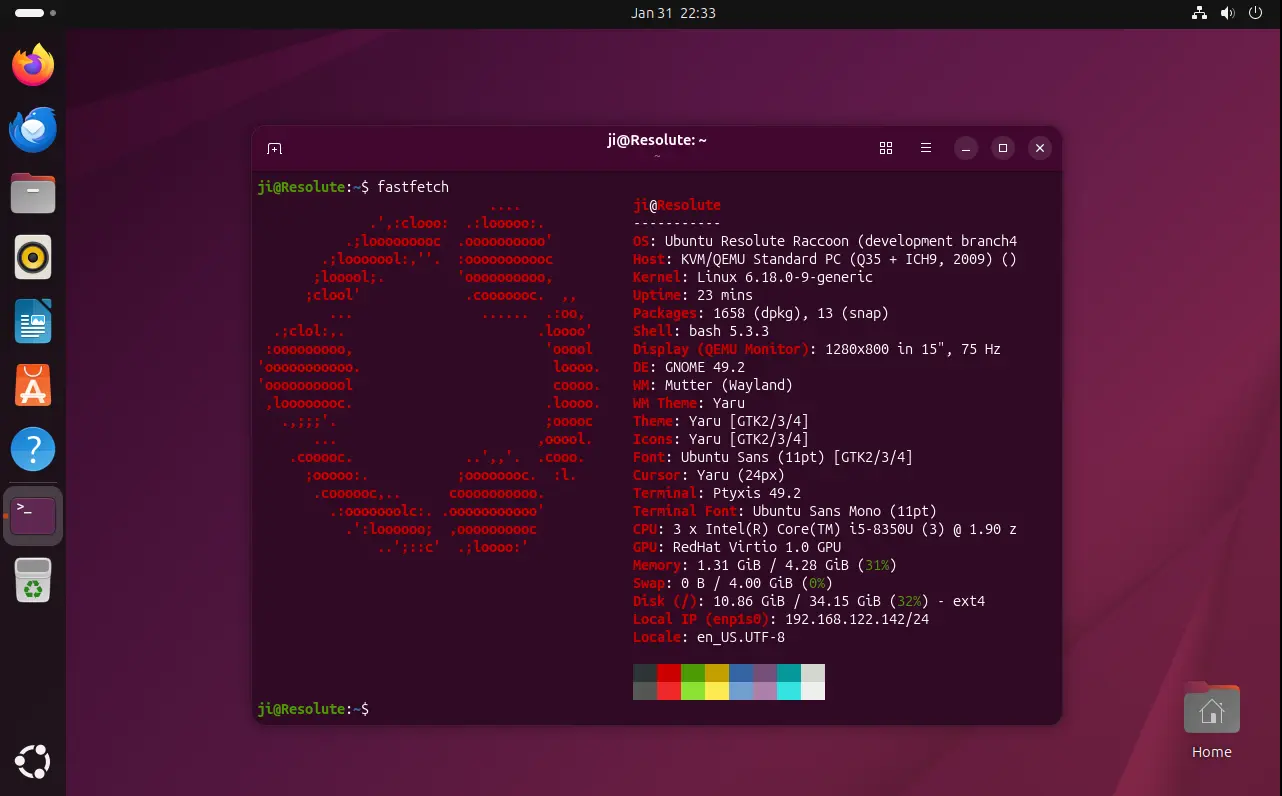
The new snapshot so far features Kernel 6.18 and GNOME 49, though the final release will have GNOME 50 and most probably Kernel 7.0.

The new showtime video player has been made into system repository, and resources system monitor and task manager is pre-installed when installing Ubuntu with “extended selection”.

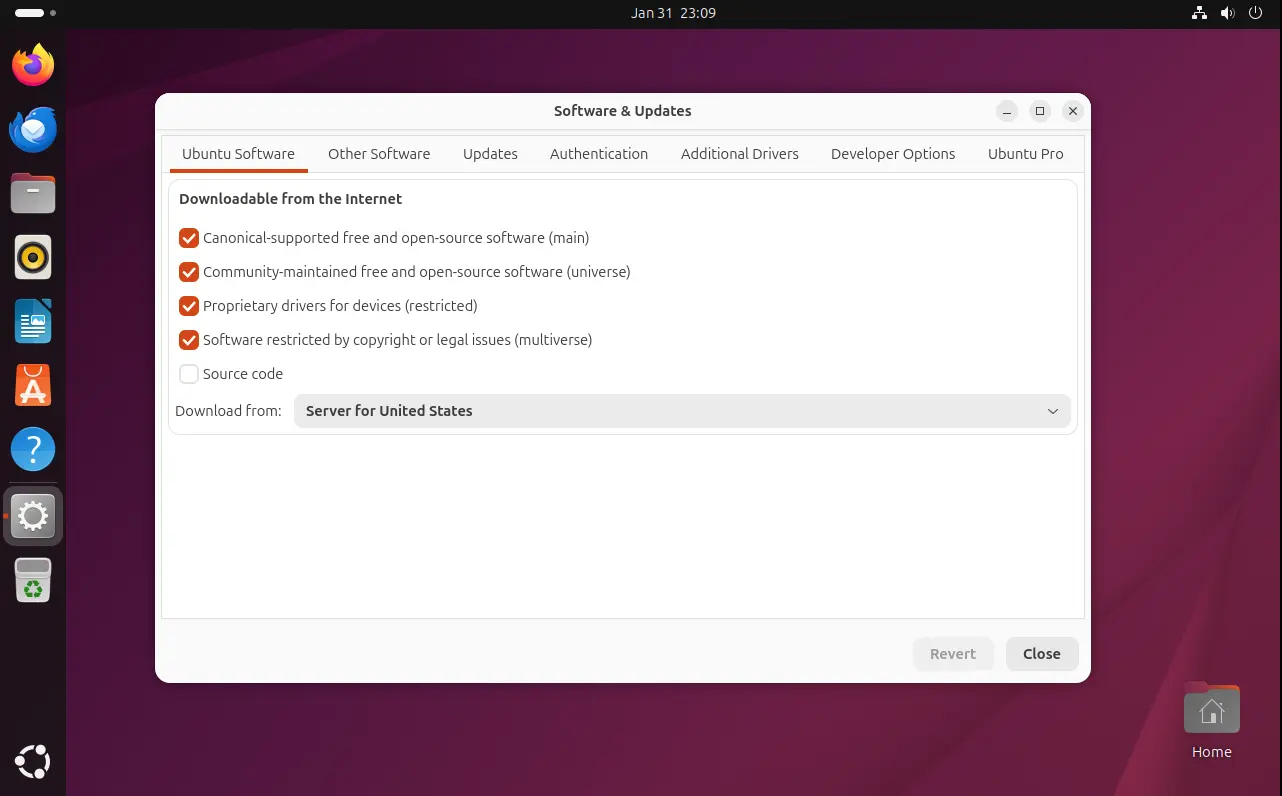
Software & Updates, the built-in tool for managing software sources, drivers, and Ubuntu Pro has been ported to GTK4, with a modern UI that’s well integrated with recent Gnome desktop environment.

Though, according to the road-map, the 26.04 release will begin to deprecate this tool, instead merging the features into App Center and Security Center.

The LTS will also improve the NVIDIA on Wayland experience, introduce Security Protocol and Data Model (SPDM) based fingerprint authentication, add more control for TPM-backed full disk encryption (e.g., ability to add/remove PIN or passphrase after installation, re-encrypt a disk via Security Center), and Ubuntu Pro support on WSL.

See this on-going release note page for more details.

Get Ubuntu 26.04 Snapshot 3

The next snapshot will be available on February 26, while the final release is planned for April 23, 2026.

For the current snapshot, you may select download the .iso images for Desktop and Server, as well as Netboot tarball, WSL, and pre-install server images via the link below:

For other desktops and education purpose, the snapshot also includes the .iso images for all the official flavors, which are available to download via the link below:

For Ubuntu MATE and Unity, the iso images are automated builds without maintainers behind them.

If you’ve already run your machine with Ubuntu 26.04 daily build or snapshot 1/2, then simply install all the available updates to get to the new snapshot.

For current Ubuntu 25.10, I’ve tried to upgrade to the new 26.04 Development release by first installing all updates:

sudo apt update && sudo apt full-upgrade

Restart if required, then run:

do-release-upgrade -d

For future releases, see the table below or the official release schedule.

February 26, 2026 Snapshot 4
March 26, 2026 Beta (mandatory)
April 16, 2026 Final Freeze, Release Candidate
April 23, 2026 Final Release
❌