
 Login
Login
Manually Install/Remove NVIDIA GeForce Now in Linux via Flatpak

NVIDIA GeForce Now added official Linux support yesterday via Flatpak package! Here’s the step by step guide shows you how to manually install or remove it in Ubuntu and other Linux.
GeForce Now is NVIDIA’s cloud gaming service streams high-end PC games to laptops, phones, and TVs, allowing for better gaming experience without requiring high-end hardware.
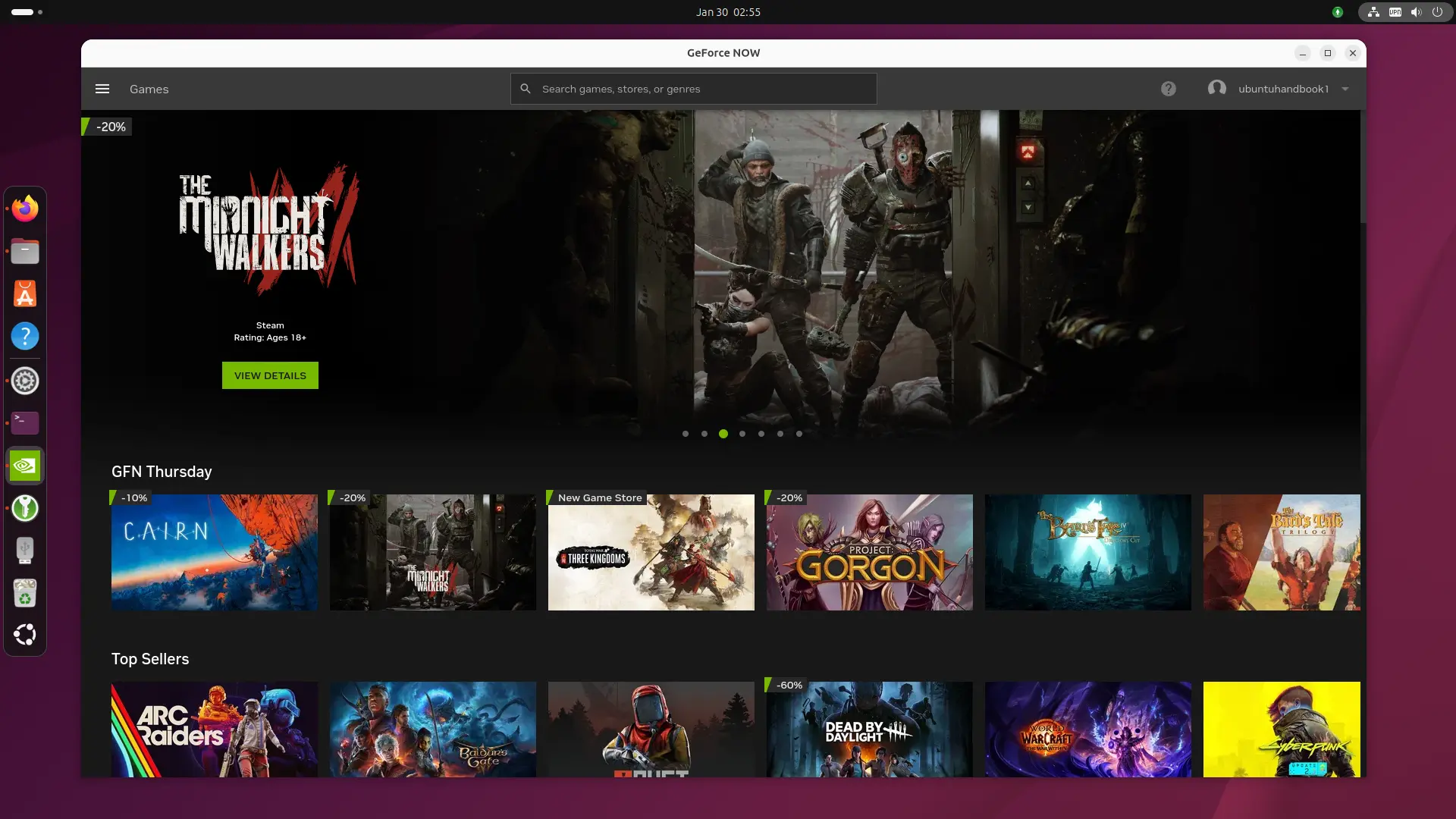
GeForce Now in Ubuntu
The support for Linux (so far beta) requires Ubuntu 24.04 LTS, Xorg for NVIDIA GPUs and Wayland for AMD/Intel GPUs. However, as the installer is an universal Flatpak package, it can be installed in most Linux Distributions!
Besides system requirement, it also requires dual-core Intel/AMD CPU, 4 GB memory, and a GPU with H.264 and H.265 (HEVC) video codecs support, as well as 580.126.07+ driver for NVIDIA GPUs and Mesa 24.2.8+ for Intel/AMD GPUs.
And, it requires 25 Mbps internet connection for 60 FPS gaming performance on 1920×1080 screen resolution, or 45 Mbps for 4K resolutions (3840×2160) at 120 FPS. See this page for more about the Linux OS requirements.
By default, you may download the installer from NVIDIA website. Then, add executable permission from file properties dialog, and finally click Run to start installing it.
While, below will show you how to add the remote repository and install the Flatpak package manually.
Install GeForce Now Flatpak Package
1. For Debian and Ubuntu based distributions, first open terminal (Ctrl+Alt+T) and run command to install Flatpak daemon:
sudo apt install flatpak
Other Linux may follow the official setup guide to enable Flatpak support.
2. Next, run command to add the GeForceNOW remote repository:
flatpak remote-add --user --if-not-exists GeForceNOW https://international.download.nvidia.com/GFNLinux/flatpak/geforcenow.flatpakrepo
In my case, I also need to add the Flathub repository for runtime dependencies:
flatpak remote-add --user --if-not-exists flathub https://dl.flathub.org/repo/flathub.flatpakrepo
If you want to install GeForce Now for all users in your Linux Distribution, then skip --user in the both commands above.
3. After added the flatpak repositories, finally run the command below to install the package:
flatpak install --user GeForceNOW com.nvidia.geforcenow
Also, skip --user option if you added the repositories without it.
After installed the package, search for and install it from either start menu or Gnome overview depends on your desktop environment (Log out and back in if app icon is not visible).
And, run the command below regularly to check updates:
flatpak update com.nvidia.geforcenow
Uninstall GeForce Now
To uninstall the package, open terminal (Ctrl+Alt+T) and run command:
flatpak uninstall --delete-data com.nvidia.geforcenow
Here, skip --delete-data if you want to keep the personal app data which is stored in .var/app/ directory.
Then, remove the remote repository by running command:
flatpak remote-delete GeForceNOW
Finally run flatpak uninstall --unused to remove useless run-times.
