Visual Studio Code 1.109, the January 2026 release of Microsoft’s AI code editor, was released few days ago.
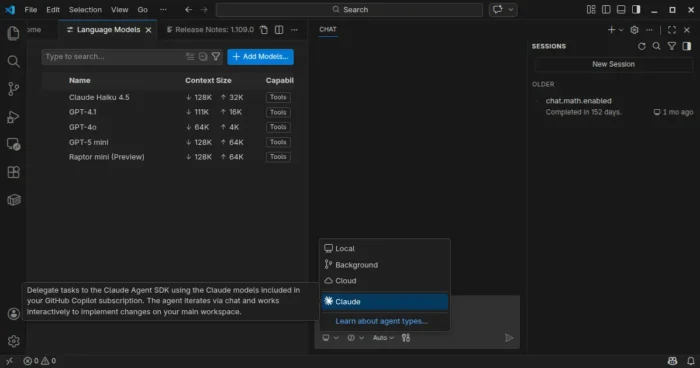
The new monthly release introduced preview support for Claude Agent, allowing to delegate tasks to the Claude Agent SDK using the Claude models included in your GitHub Copilot subscription.
It also improved the agent extensibility by allowing different agents to use different models, run independent tasks in parallel across multiple sub-agents, as well as MCP apps support for servers to display rich and interactive UI in the client.
Anthropic models now support thinking tokens to give more visibility into the model’s reasoning process. User can choose between detailed or compact thinking styles, see the model’s thought process interleaved with tool calls and responses, and, failing tool calls automatically expand to show more context.
The Anthropic models now use the Messages API with interleaved thinking support, and support for context editing to help manage longer conversations more efficiently.
Chat responses can now render interactive Mermaid diagrams with the renderMermaidDiagram tool. User can interact with pan and zoom action to explore them in detail, or open them in a full-sized editor for easier viewing.
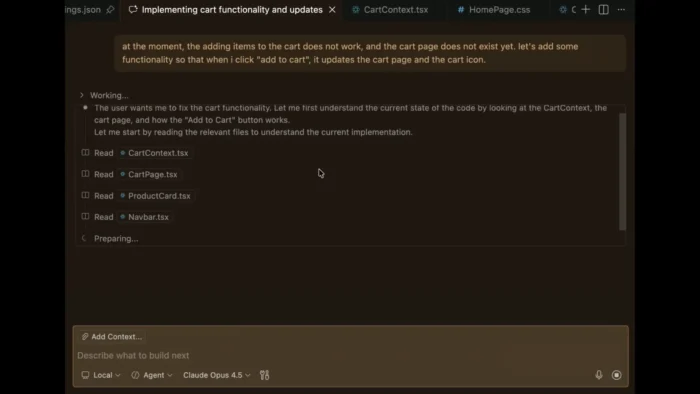
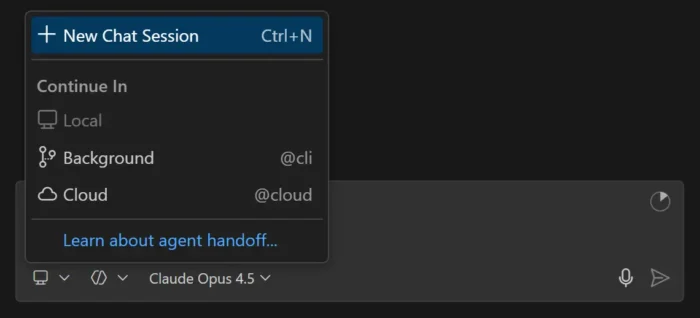
The new version now allows to run multiple agent sessions in parallel across local, background, and cloud environments. It added a new session type picker in the chat input area to switch between these different agent types, and a new agent status indicator in the command center to provide visibility into agent session updates.
Agents can run subtasks using subagents to break down complex tasks into smaller parts. Cloud agent session now supports model selection, third-party coding agents (Preview), and custom agents available in your target GitHub repository default branch. Background agent session as well supports custom agent, attaching images as context, and auto-commit at the end of each turn.
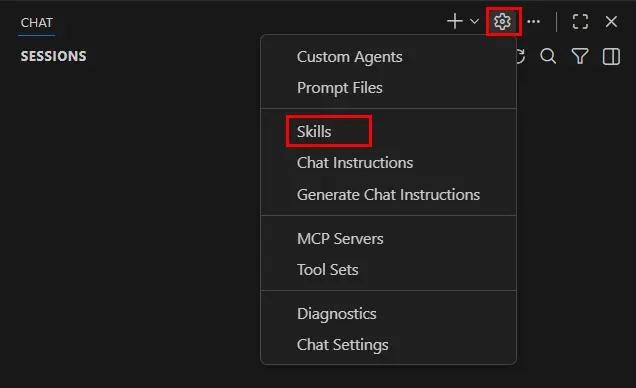
Agent Skills that was introduced in the last release, are now generally available and enabled by default. And, you can now manage skills in VS Code in the same way you manage prompt files, instructions, or custom agents.
This version as well added /init slash command to generate or update your workspace instructions in chat, organization-level custom instructions support, and new controls for custom agent file locations, how agents can be invoked, and specify multiple model for custom agents.
It optimized agent with new Copilot Memory (preview feature) to store and recall important information across sessions, ability to index workspaces that are not hosted on GitHub, and read files and list directories outside current workspace with user permission.
For Linux and macOS, there’s also experimental terminal sandboxing feature to restrict file system access to only your workspace folder and restrict network access to trusted domains only.
VS Code desktop also features a new integrated browser (preview), allowing to sign into websites and browse any web page, just like you would in a regular browser.
Other changes in VS Code 1.109 include:
- Ask Questions tool (Experimental).
- Fully interactive embedded terminals.
- New Agent sessions welcome page (Experimental).
- Kitty keyboard protocol support.
- Drag’n’drop importing a settings profile.
- Provide DMG images for macOS.
- Windows 11 context menu integration.
Get VS Code 1.109
The official release note, as well as the download links for Linux, Windows, and macOS are available via the link below:
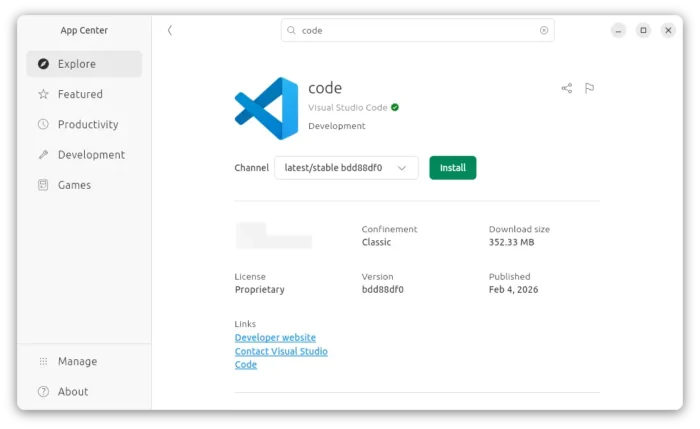
Ubuntu users can either simply search & install the Snap package from App Center (or Ubuntu Software for 22.04), or download and install the deb package from the link above.
And, a community maintained flatpak package is available for choice with most Linux support. See this guide for how to install them step by step.

 Login
Login
 ObsidianOS is a set of Linux distribution based primarily on Arch Linux. Its main feature is an A/B partition style (as used by Android or Chrome OS) so if an update causes some issues, it is possible to reboot into the first partition and restore the second one. It uses the ext4 filesystem exclusively. ObsidianOS offers three variants of the product - "Base", "KDE Plasma" and "COSMIC".
  Voyager Live is an Xubuntu-based distribution and live DVD showcasing the Xfce desktop environment. Its features include the Avant Window Navigator or AWN (a dock-like navigation bar), Conky (a program which displays useful information on the desktop), and over 300 photographs and animations that can be used as desktop backgrounds. The project also develops several other editions of Voyager Live - a "GE" edition with GNOME Shell, a "GS" variant for Gamers, and a separately-maintained flavour based on Debian's "stable" branch.
 ENux is a desktop Linux distribution based on Debian's "Stable" branch. It integrated Bedrock Linux, a project developing scripts that mix-and-match components from various Linux distributions and integrate them into one largely cohesive system. ENux's main claim to fame is support for a large range of popular package management tools that exist in the Linux ecosystem, including apk (Alpine Linux), dpkg/apt (Debian), emerge/portage (Gentoo), nix (NixOS), pacman (Arch Linux), rpm/dnf (Fedora), xbps (Void) and zypper (openSUSE) via the unified pmm tool (from Bedrock Linux). The distribution uses the Xfce desktop and substitutes Debian's long-term supported Linux kernel with a more up-to-date version.
  ArchBang Linux is a lightweight distribution based on Arch Linux. Using the labwc Wayland compositor, it is fast, up-to-date and suitable for both desktop and portable systems. Besides GreenBANG, the project also develops a distribution called SwayBang featuring the Sway Wayland compositor.
 FluxLinux is a lightweight distribution based on Ubuntu's long-term support (LTS) branch and using the Xfce desktop. Some of its features include fast boot and snappy desktop interaction, curated defaults with sensible power-user options, modern package workflow, rollback-friendly upgrade, and privacy-respecting telemetry. With minimal resource overhead and efficient process management, FluxLinux is suitable for installation even on older and low-specification computers.
  Talos is a specialist Linux-based operating system for running Kubernetes, an open-source system for automating deployment, scaling and management of containerised applications. Minimal, immutable and hardened, it does not offer any shell or interactive console; instead, all system management is done via remote Application Programming Interface (API) calls, where messages sent from a client application are protected with mutual Transport Layer Security TLS (mTLS) authentication. Talos also delivers atomic updates, thus maintaining the Linux and Kubernetes versions up-to-date. Talos is developed in the USA by Sidero Labs, Inc.
  FreeBSD is a UNIX-like operating system for the i386, amd64, IA-64, arm, MIPS, powerpc, ppc64, PC-98 and UltraSPARC platforms based on U.C. Berkeley's "4.4BSD-Lite" release, with some "4.4BSD-Lite2" enhancements. It is also based indirectly on William Jolitz's port of U.C. Berkeley's "Net/2" to the i386, known as "386BSD", though very little of the 386BSD code remains. FreeBSD is used by companies, Internet Service Providers, researchers, computer professionals, students and home users all over the world in their work, education and recreation. FreeBSD comes with over 20,000 packages (pre-compiled software that is bundled for easy installation), covering a wide range of areas: from server software, databases and web servers, to desktop software, games, web browsers and business software - all free and easy to install.
  ChromeOS Flex, developed by Google, is a free and lightweight Linux distribution based on Gentoo-derived ChromeOS. Unlike ChromeOS which is designed specifically for Chromebook computers, ChromeOS Flex can be installed on most x86_64 devices with a AMD or Intel processors, offering a Chromebook-like experience. The product's functionality can be further extended by installing a Debian-based Linux subsystem with a complete Linux development environment. ChromeOS Flex is available as a BIN image that can be transferred to a bootable USB Flash drive; it can be used in a "live" mode or it can be permanently installed to a computer's hard disk.


 NetBSD is a free, secure, and highly portable UNIX-like Open Source operating system available for many platforms, from 64-bit AlphaServers and desktop systems to handheld and embedded devices. Its clean design and advanced features make it excellent in both production and research environments, and it is user-supported with complete source. Many applications are easily available through The NetBSD Packages Collection.
 BigLinux is a Brazilian Linux distribution localised into Brazilian Portuguese (with support for English). It is was originally based on Kubuntu, but starting from 2017 the distribution was re-born based on deepin. It then offered two desktop environments - Cinnamon and Deepin. In 2021 the distribution switched bases and desktop environments again, migrating to Manjaro Linux and using the KDE Plasma desktop.
  LainOS is a lightweight, Arch Linux-based desktop distribution aimed at developers, tinkerers and hackers. As a choice of graphical environments, it offers the Hyprland Wayland compositor and the Openbox window manager. The distribution also features the Calamares system installer, personalised yet functional visual aesthetics, and a selection of useful software. LainOS is intended for users who share the admiration of Serial Experiments Lain, a Japanese anime television series.
 Berserk Arch is an Arch Linux-based, rolling-release distribution designed primarily for power users, security researchers and developers. It uses a customised Openbox window manager. The distribution offers a modular environment with pre-configured desktop profiles, secure package infrastructure and curated toolsets.
  Lilidog is a lightweight desktop Linux distribution based on Debian "Stable" and featuring a customised Openbox window manager. It incorporates the tint2 desktop panel, the Thunar file manager and the xfce4-terminal terminal emulator. Other window managers, including Awesome, dwm, i3, JWM and sowm, are also available for installation. Besides the standard Lilidog, the project provides two other editions of the distribution - the "Beardog" variant which starts without a display manager on login, and the "Waydog" flavour which uses the Wayland display server and offers a choice between the labwc and Sway Wayland compositors.